Server Rules and Information
Here are a few of the rules and some handy info about the server!
Basically the same as on the E&K discord.
Be wholesome, don't be mean and respect others.
Any form of harassment will result in a ban!
No x-ray texture/data packs/mods allowed!
When claiming an area for your base keep some distance to other player's bases.
In a way that everyone has room to expand in the future. Ten chunks minimum.
This is a guildeline, not a hard rule. Surely you can talk to the other players and come to different agreements. Even join forces.
Use the FTB-Chunks map to see the claims of other people. (see 'Worldmaps' & 'Claims')
Animals and other mobs as well as redstone/create contraptions can cause a lot of stress on the server.
To ensure a smooth gameplay experience for everyone, please make sure to only build mob farms in areas that are not loaded at all times.
This means they must be at least twelve chunks (12*16 blocks) away from populated areas such as your base, the shopping district or similar areas.
Animal pens should not contain more than 3-4 mobs if they are in one of those areas.
If you need bigger pens, with more animals or big redstone/create contraptions please move them twelve chunks or more away from active areas.
You can use the "Observable" mod to get an overview of how much ticks each entity/block-entity is using
Our operators will reduce the amount of animals, or even remove whole farms if you do not comply to these rules.
We have two in-game worldmaps, Xaero-World/minimap and FTB-Chunks map.
While Xaero map is used for navigation, FTB-Chunks map's main purpose is to claim your base, farms and so on.
Last but not least, we have the webbrowser based worldmap.
Unlike the in-game maps, this 3D map will show all generated chunks and not just the parts you yourself have discovered.
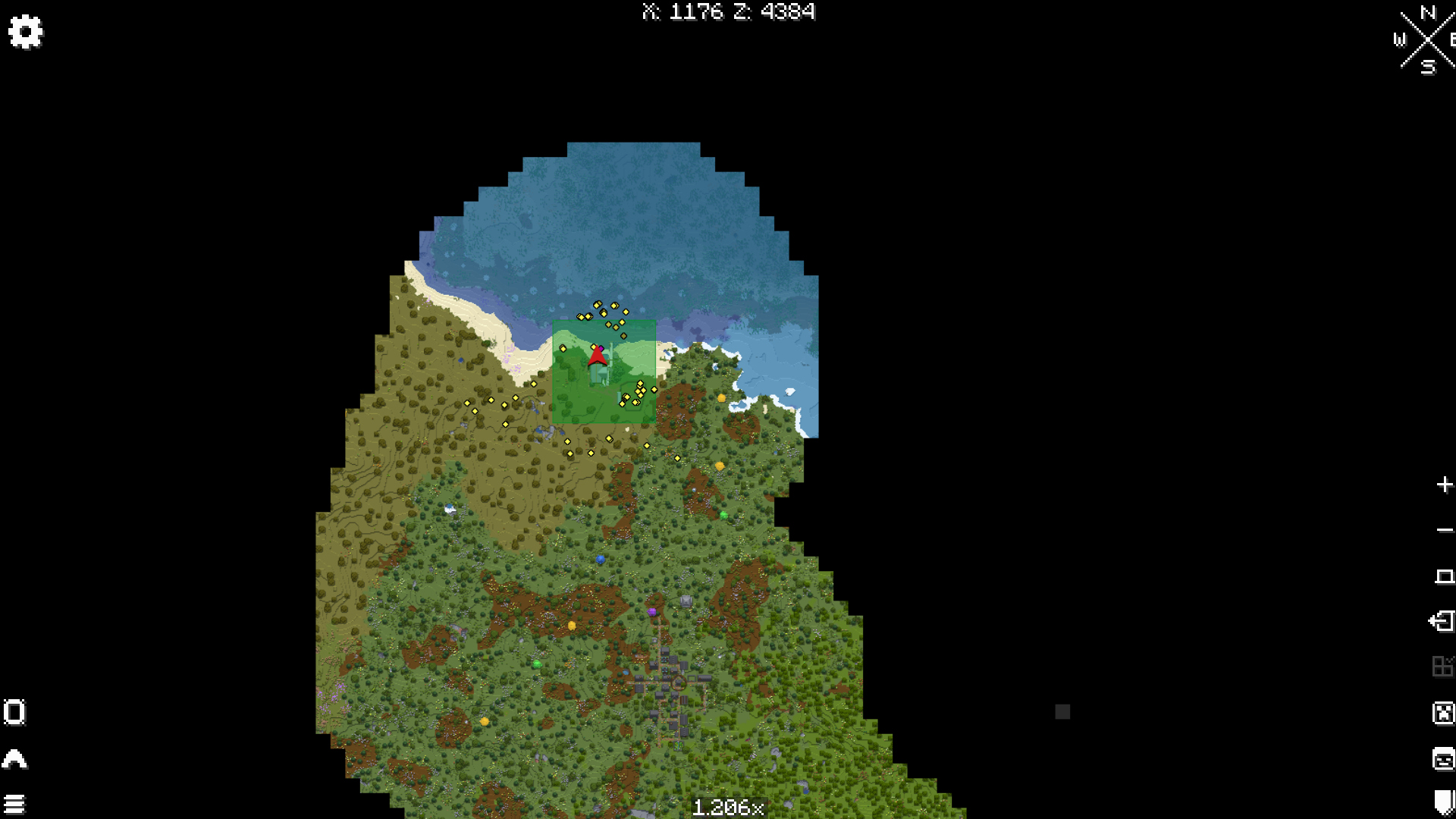
Xaero Map
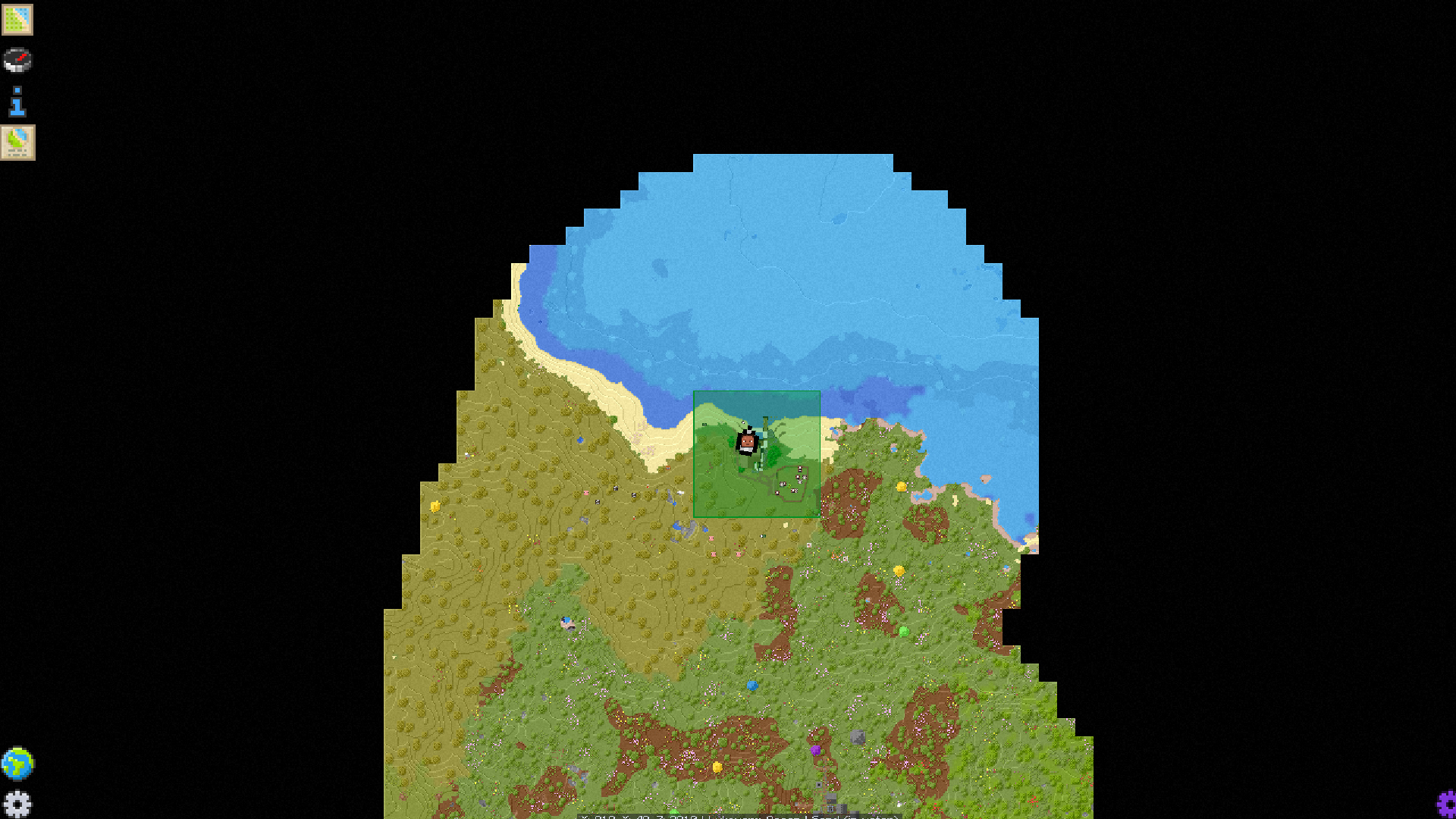
FTB-Chunks Map
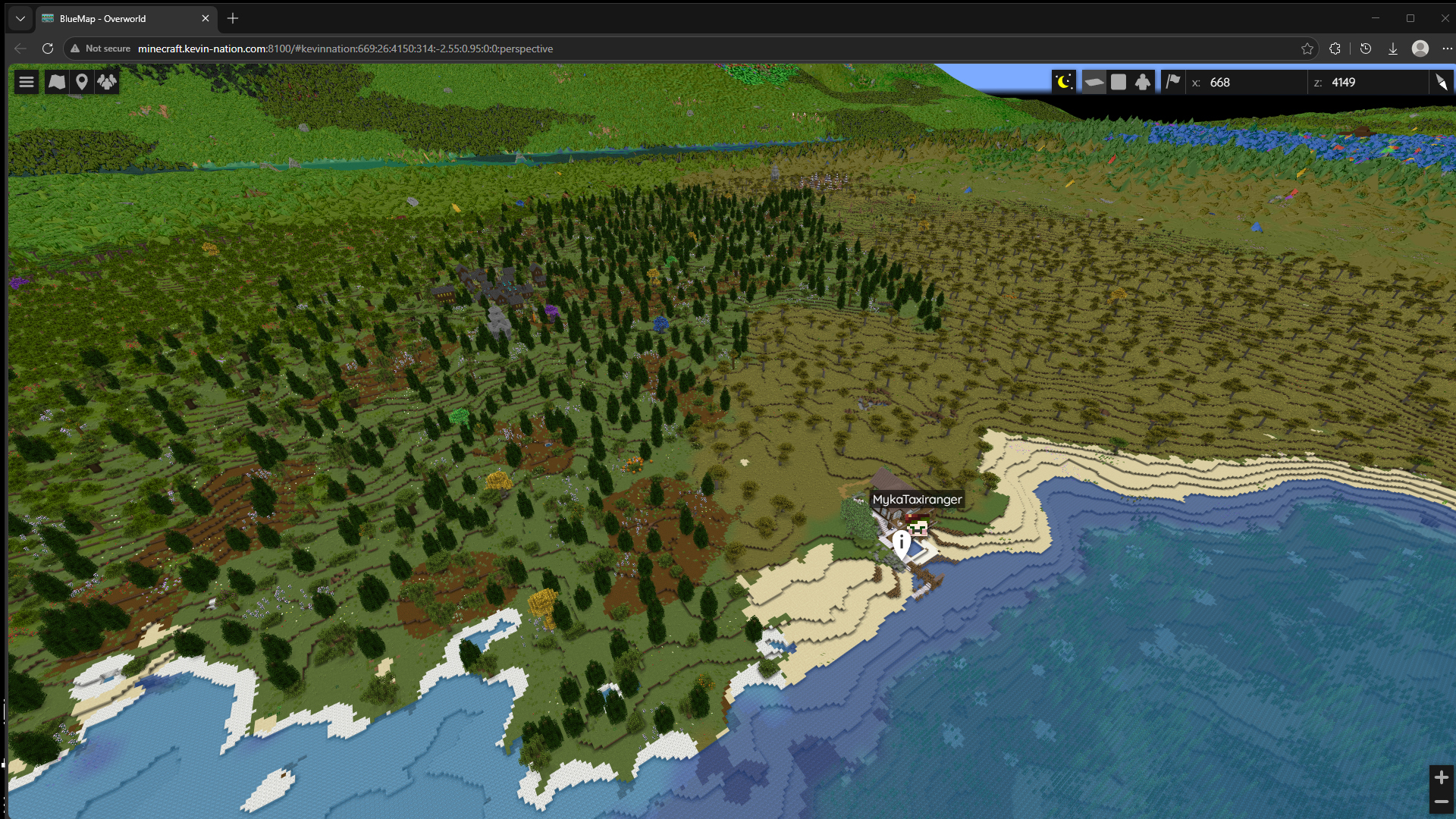
Browser Map
On our server, one can make claims to prevent griefing by other players, mobs, TNT, etc. 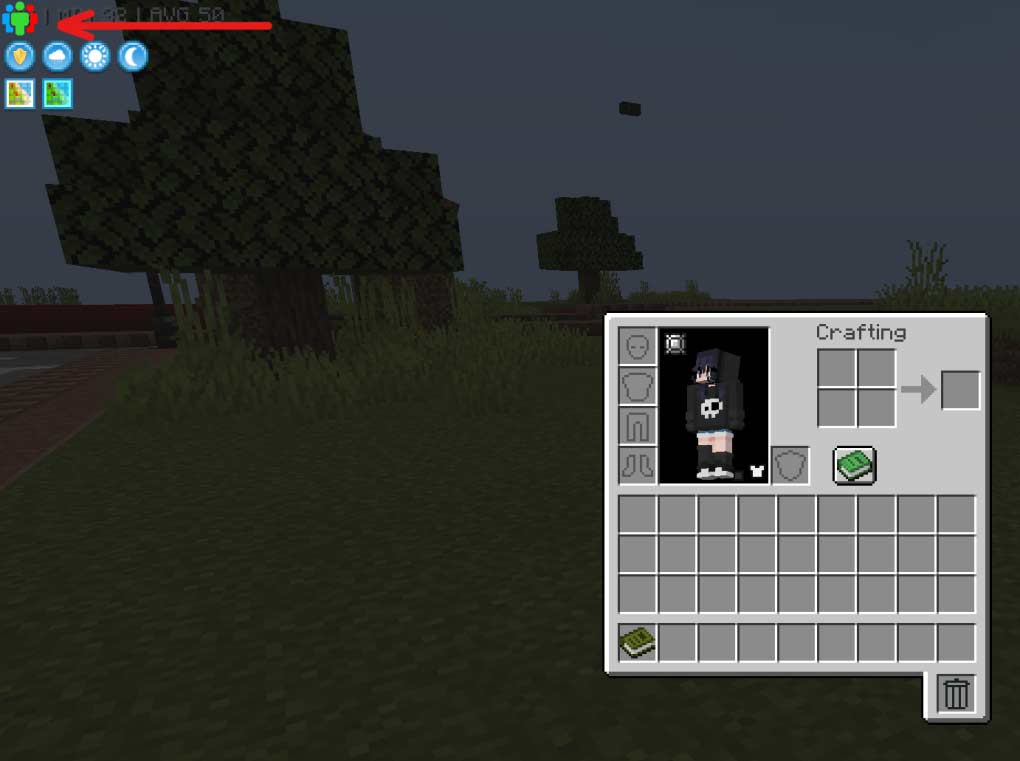 To get started:
Open your inventory and click "My Team".
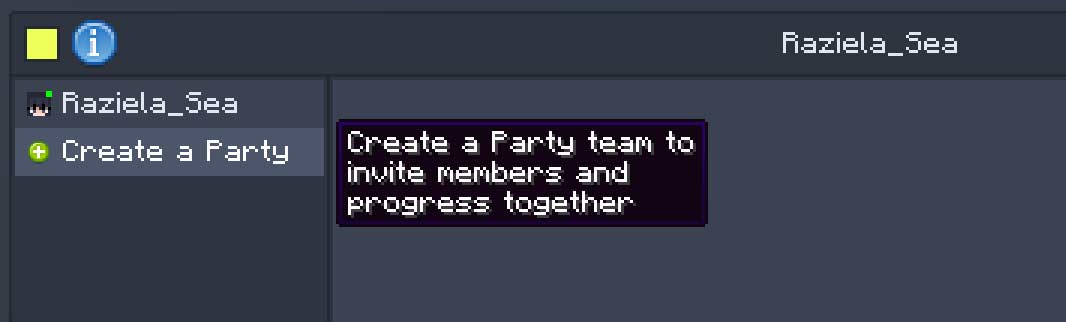 Click "Create a party"
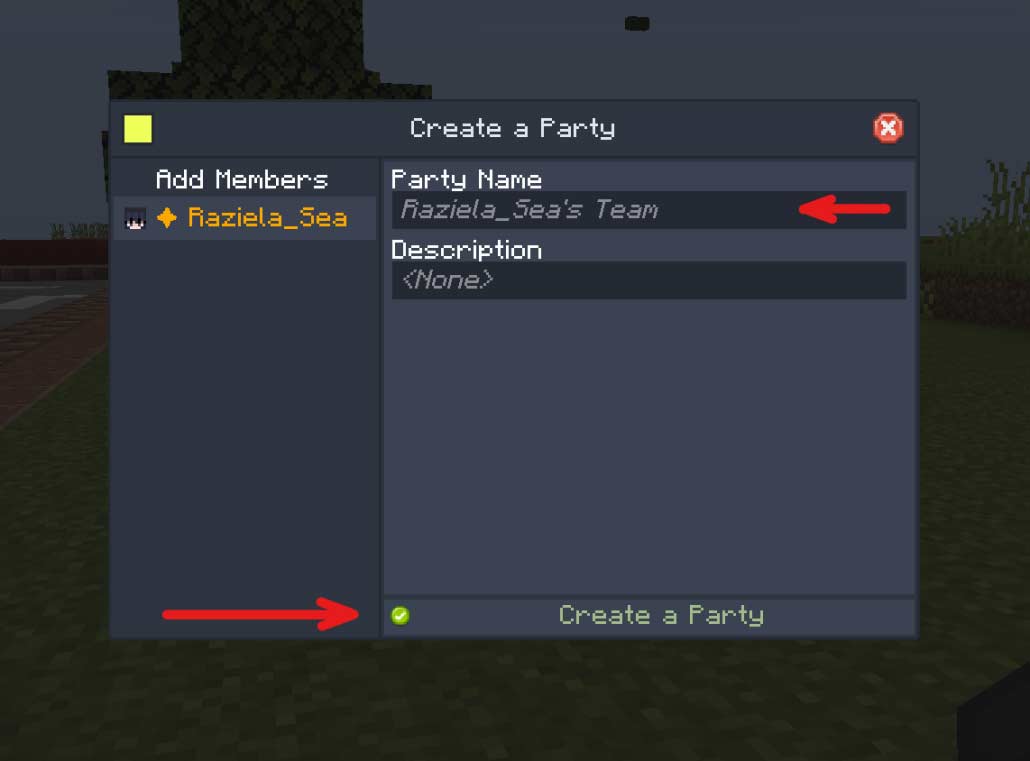 Give the party a name, optionally a description, and click "Create a Party"!
If you want share claims together with someone else, they can join your party, to invite someone to join, click the "+" button next the the button to manage your allies.
You can claim areas in 2 ways: :
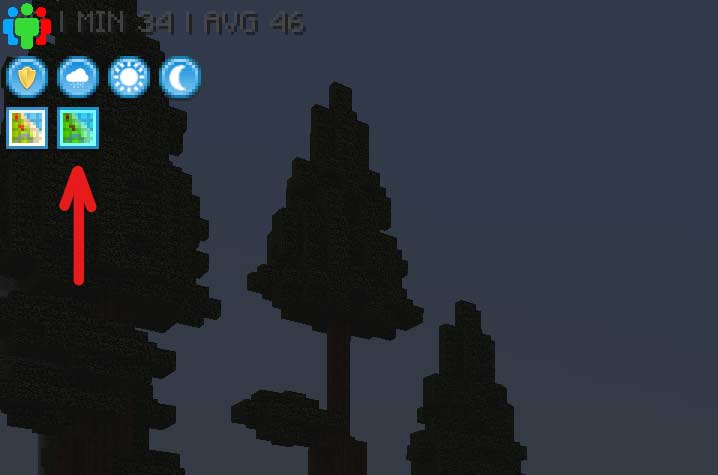 1. Open Inventory, click "FTB Chunks: Claim Manager"
- Left-click the shown squares to claim them, right-click the squares to unclaim them.
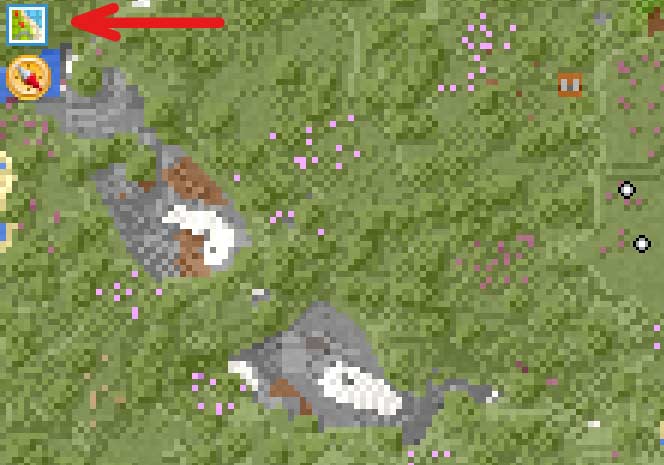 2. Use the keybind to open the FTB Chunks Map* and click "Claimed Chunks",
or open it with the default keybind: "C"
- Left-click the shown squares to claim them, right-click the squares to unclaim them.
*Make sure it's actually the FTB Chunks Map, and not the Xaero World Map, as our server has both.
Some ares are restricted by a claim with the name 'Restricted Area'.
For example the area around world spawn. This is done as the chunks around it are always loaded, so building in this area is restricted to keep the load on the server to a minimum.
Other areas might be restricted to protect command blocks and redstone contraptions made by OPs for mini-games.
Shopping is based on the honour system.
By default, the payment is done in diamonds. But any shop owner may ask for whatever they prefer as currency in exchange for their goods/services.
 You're stuck in a claim? You're stuck in bedrock?
- Use '/trigger spawn' to get back to the world spawn.
Need More Help?
Our OPs are IgorTaxiranger, Asherah and Raqbit.
If you need any help, don't be afraid to ask in the chat, either in-game or the discord channel.